Choose whether staff share a checklist or each do their own
For Ad hoc and Regular schedule checklists, the Allow access to setting decides how people work on the checklist.
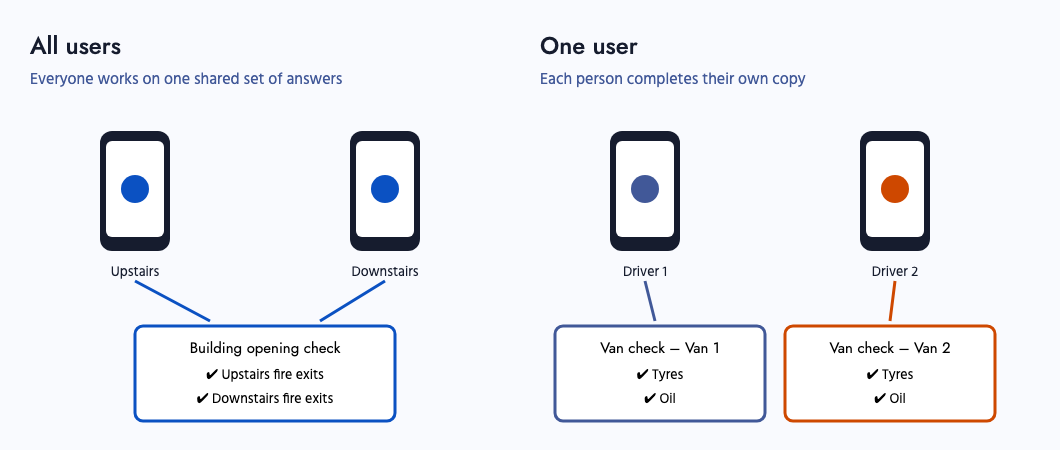
- All users: several people answer the same checklist at the same time, and each sees the answers the others have given. Use this for a building opening check, where one person can check the upstairs fire exits while another checks downstairs.
- One user: each person who starts the checklist completes their own copy. Use this for van checks at a depot, where each driver checks their own van at the same time.
To change it, open the checklist, click Edit settings, choose the option under Allow access to, and click Save.